
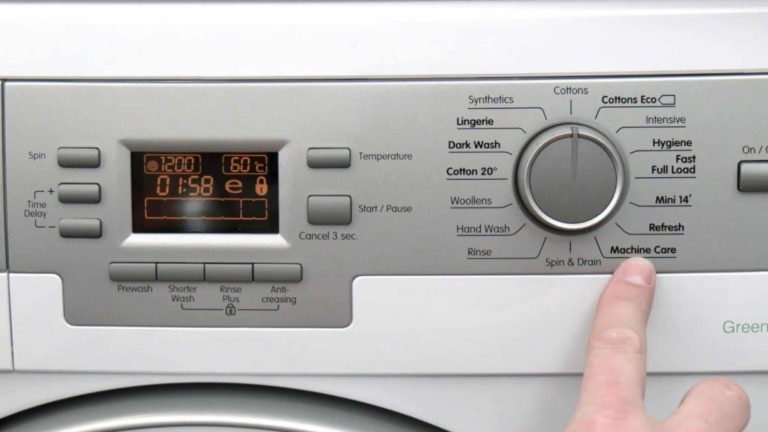
If your Blomberg washer is stuck, flashing an error, or will not respond to the buttons, a reset is often the quickest fix. Blomberg washing machines do not have a dedicated reset button, but there are simple ways to reset Blomberg washing machine electronics, cancel a stuck program, and drain the water so you can open the door.
This guide covers each method, when to use it, and what to check if the problem comes back.
Table of Contents
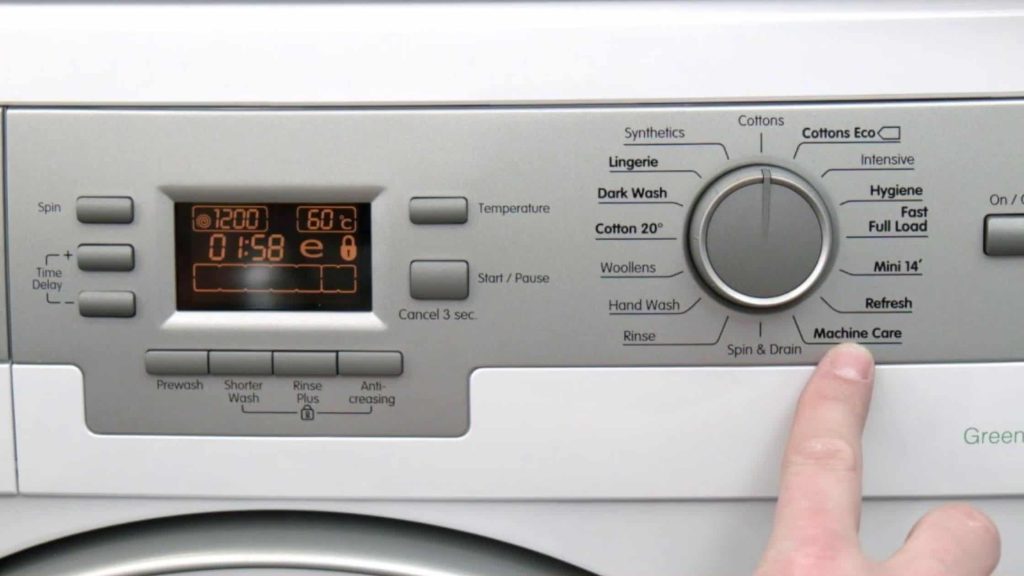
How to Reset Blomberg Washing Machine (Power Reset)
A power reset is the simplest way to reset Blomberg washing machine electronics. It clears minor glitches in the control board. It is the first thing to try for frozen buttons, a blank display, or a cycle that will not start.
- Turn the washer off with the power button or program dial.
- Unplug the washer from the wall, or switch off its circuit breaker.
- Wait at least five minutes. This gives the control board time to fully discharge.
- Plug the washer back in and turn it on.
- Select a short program, such as Rinse or Spin, to test it.
If the washer works normally, the reset has done its job. If the same error returns, there is likely an underlying fault to fix (see the sections below).
How to Cancel a Program on a Blomberg Washer
Sometimes you do not need to reset Blomberg washing machine settings at all, just stop the current program.
- Press and hold the Start/Pause button (on some models labeled Start/Pause/Cancel) for about three seconds.
- The display will show that the program is cancelled, often with “End” or a flashing light.
- The washer may drain and spin before it unlocks.
Turning the program dial to Off also cancels the cycle on many Blomberg models. When you turn the washer back on, choose a new program.
How to Drain a Blomberg Washer Before Opening the Door
If you cancel a program while the drum is full, the door will stay locked for safety. To drain it:
- Turn the program dial to the Spin or Pump/Drain program, depending on your model.
- If you only want to drain without spinning, use the spin speed button to select no spin (or the lowest option).
- Press Start/Pause.
- Wait for the water to drain and the door lock light to turn off before opening the door.
If the washer will not drain at all, the drain pump filter is likely clogged. Our guide on a Blomberg washing machine not draining walks through cleaning the filter and checking the hose.
How to Turn Off Child Lock on a Blomberg Washer
If the buttons do nothing and you see a lock symbol, child lock may be on. This is not a fault, but it looks like one.
- Press and hold the two buttons marked with the small key or lock icon for about three seconds.
- The lock symbol should disappear and the buttons will respond again.
The exact buttons vary by model, so check the lock icon on your control panel or your owner’s manual.
When You Should Reset Blomberg Washing Machine Controls
A reset is worth trying when:
- The display freezes or shows random symbols
- The washer does not respond after a power cut
- An error code appears after an unusual event, like a power surge or a door opened mid cycle
- The program will not start even though the door is closed
Trying to reset Blomberg washing machine controls will not fix a mechanical problem. If the washer will not drain, will not fill, leaks, or makes grinding noises, look at the cause rather than resetting again and again.
Blomberg Washer Error Codes and a Reset
Blomberg washers show error codes when they detect a problem. A reset can clear a code caused by a temporary glitch. If the code comes straight back after you reset Blomberg washing machine power, the washer is pointing to a real issue. The most common causes are:
- Water supply problems. Check that the taps are fully open and the inlet hose is not kinked.
- Drain problems. Clean the pump filter and check the drain hose for blockages.
- Door lock problems. Make sure the door closes fully and nothing is caught in the seal.
- Overdosing detergent. Too many suds can trigger faults on some models.
Your owner’s manual lists the exact meaning of each code for your model. The model number is usually on a label inside the door rim.
Tips to Avoid Having to Reset Blomberg Washing Machine Controls
- Plug the washer directly into a wall outlet, not an extension cord
- Use a surge protector if your area has frequent power cuts
- Clean the drain pump filter every few months
- Use HE detergent in the right amount
- Run a hot cleaning cycle monthly; see how to clean a Blomberg washing machine
For general advice on running an efficient washer, see the ENERGY STAR clothes washer page.
Final Thoughts
To reset Blomberg washing machine controls, unplug the washer for at least five minutes and plug it back in. To stop a program, hold Start/Pause for three seconds, then use the Spin or Drain program to empty the drum. If the same fault returns after a reset, check the water supply, the drain filter, and the door, since a reset clears glitches but cannot fix a part that needs attention.
You may also like:
- How are washing machines programmed? (Simply explained)
- Why are washing machines wifi enabled? (And do I need one?)
- Why do washing machines have windows? (The simple Answer)How does a Washing Machine Know When to Stop Filling? (Easy Explanation)
- Washing Machine Drum Dropped? (Easy Fix for All Brands)
